


£120.00
Voice Control
Activate the Land Rover Voice Control System – use the button on your steering wheel left‑hand switchpack to interact with your vehicle and its infotainment system.
This system is designed to recognise various languages. However, Land Rover cannot guarantee that it will recognise all dialects of each language. Consult your dealer or authorised workshop to check compatibility with your dialect.
Understanding Basic Operation
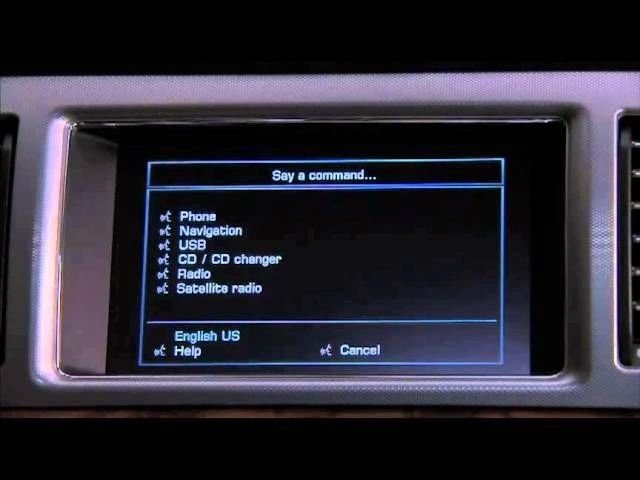
To start a session, briefly press the voice button. A pop‑up window will then appear on the touch screen. To cancel, press and hold the button.
A symbol indicates when commands are available. Wait for this symbol and an audible signal before speaking. The pop‑up panel shows a list of available commands at each stage. Simply say one of them. When the “Cancel” prompt appears, say “Cancel” to end the session. When the “Help” prompt appears, say “Help” for assistance.
Voice Training
This feature improves recognition of your voice characteristics. To run the training:
-
From the main menu, select Setup.
-
In the Setup menu, select Voice.
-
In the Voice settings, select Voice training.
-
Choose User 1 or User 2 to begin.
-
Follow the voice prompts and on‑screen instructions.
| Make Model | XF X250 |
|---|
Related products

Activations
Activations

Activations
Activations
Activations
Activations
Activations

Activations