



£840.00
Terrain Response 2
SUVs are an incredibly popular choice for many consumers for several reasons. Brawny looks, a higher driving position, and enhanced practicality are some highlights. But not all SUVs are good off-road, despite what their appearance may suggest.
This is not the case for Land Rover. Its models have led the way in off-road excellence for generations. The thing is, they are also great on the road, too.
One reason for being great on road and off-road is Land Rover’s ‘Terrain Response’. But what is it?
- What is Land Rover Terrain Response?
- What Land Rover models have Terrain Response?
- How do you activate Terrain Response?
- Advantages of Terrain Response
- Disadvantages of Terrain Response
What is Land Rover Terrain Response?
Land Rover Terrain Response is a collection of settings. You can adjust them manually or automatically. This ensures your Land Rover offers the best performance when dealing with varying terrains. The driver selects which terrain to deal with. Or higher specification models do it automatically with Terrain Response 2.
For example, if you are about to take your Land Rover on sand, select the ‘Sand’ setting. This sets up the Land Rover perfectly for sandy terrain.
Land Rover Terrain Response modes include:
-
Grass/Gravel/Snow
-
Mud Ruts
-
Sand
-
Rock Crawl
-
Wade Mode
-
Auto Mode (This is part of Terrain Response 2)
What Land Rover models have Terrain Response?
You will find Terrain Response on all new Land Rover models in the current range. However, higher specification models have enhanced Terrain Response 2 with the ‘Auto’ mode. For example, if you spec a Land Rover Defender 130, the ‘S’ trim comes with Terrain Response. Upgrading to the ‘X’ trim gives you Terrain Response 2.
You can also find Terrain Response on used Land Rovers. The system launched in 2005 on the Discovery model. Terrain Response 2 launched later in 2013.
Both versions are excellent. But some drivers prefer the convenience of Terrain Response 2. It automatically sorts out all decision-making for you. This is what you would expect from a higher specification Land Rover.
How do you activate Terrain Response?
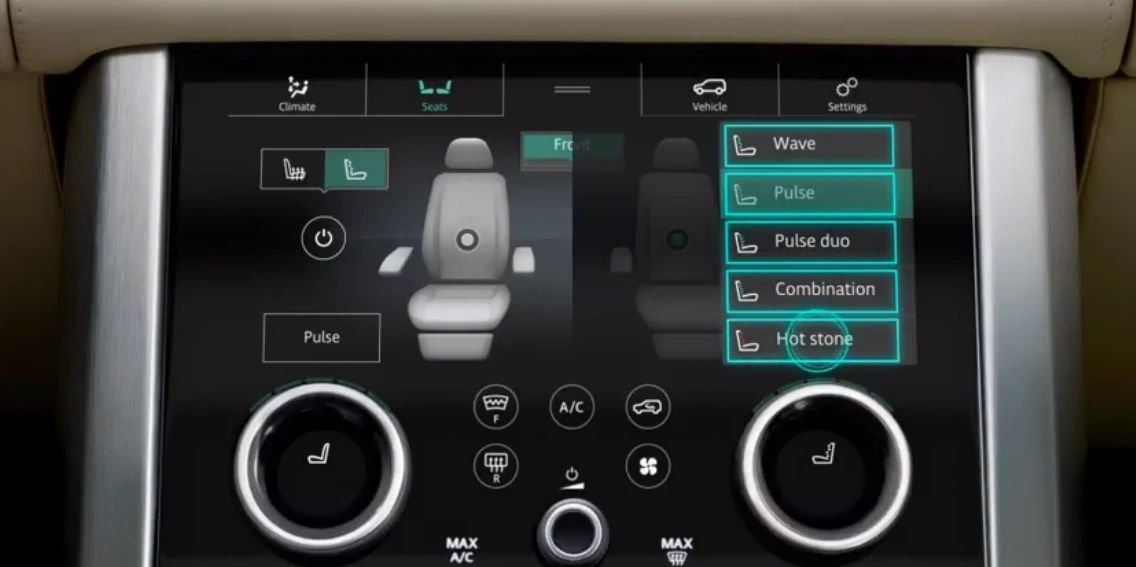
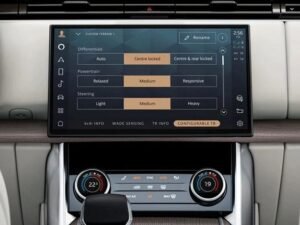
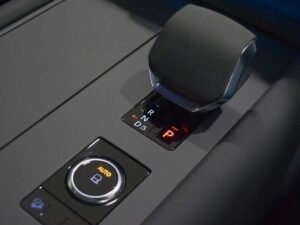
You activate Terrain Response with a toggle switch on older models. On newer models, you use the infotainment display.
The Auto setting in higher specification models does this for you. This makes driving your Land Rover easier. Terrain Response 2 automatically detects the terrain type. It works whether you are on normal tarmac, sand, snow, mud, or other surfaces.
Terrain Response ensures your Land Rover performs optimally on varying terrain. The driver selects the setting they think is needed. Terrain Response 2 removes the guesswork if you are unsure. It automatically adjusts settings to cope with the terrain.
Effectively, Terrain Response 2 means you do not have to toggle between settings when the terrain changes constantly. You can focus all your attention on driving. That said, Terrain Response is still excellent. It helps Land Rover models make light work of off-road terrain.
Advantages of Terrain Response
There are several advantages of this clever system, highlighted below:
-
Ensures your Land Rover performs at its best on changing terrain.
-
Provides peace of mind when venturing onto varying terrain.
-
Ensures on‑road and off‑road driving uses the Land Rover’s full capabilities.
-
Increases safety by giving you enhanced traction, grip, and confidence.
-
Improves performance both on road and off‑road.
-
Enhances driver assistance, giving you greater confidence.
Disadvantages of Terrain Response
As with anything, there are a few disadvantages:
-
It can lead to overconfidence in some drivers, and it does not guarantee your Land Rover will never get stuck.
-
If the system malfunctions, it reverts to ‘Comfort’ mode, which only suits everyday on‑road driving.
-
It can reduce skill development for newer Land Rover drivers, who always rely on technology rather than their own judgment.
-
Terrain Response 2 makes it super easy to adapt to varying terrain, taking input away from the driver, which again can reduce driver skill and thought processes.
| Make Model | L405 Vogue |
|---|
Related products

Activations

Activations
Activations
Activations
Activations
Activations

Activations
